
How to Offer Free WooCommerce Shipping Based on Product Quantity
Sometimes, the order value isn't the best indicator for rewarding customers. Instead, you may want to offer free shipping when customers purchase a minimum number of products.
With the Dotstore Flat Rate Shipping Plugin, you can automatically apply free shipping once the required item quantity is reached.
In The Article
Why use quantity-based free shipping?
- Encourage customers to purchase more items.
- Increase average order size.
- Perfect for wholesale or bulk purchase stores.
- Create promotional campaigns without using discounts.
Configuration steps
- Install and activate the Dotstore Flat Rate Shipping Plugin.
- Go to Dashboard → Dotstore → Flat Rate Shipping.
- Edit or create a shipping method.
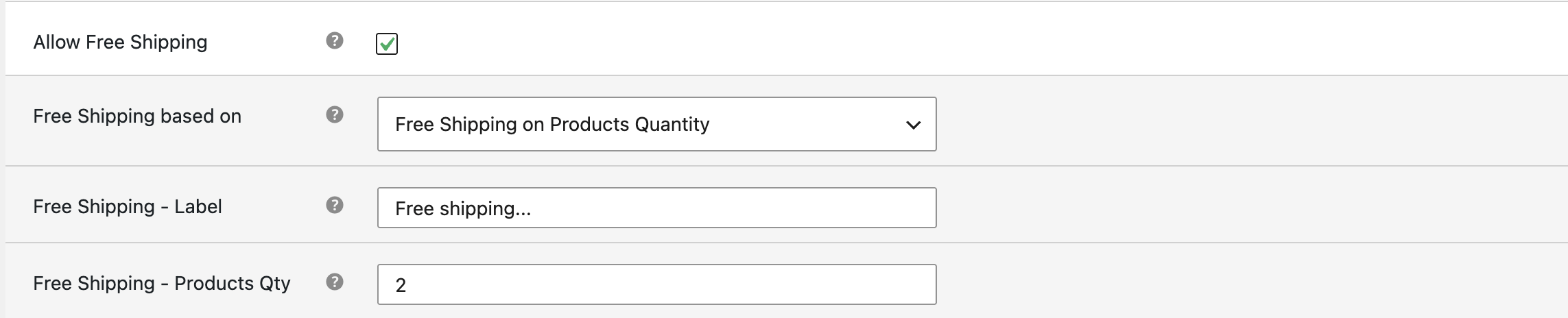
- Enable Allow Free Shipping.
- Select "Free Shipping on Products Quantity" as the Free Shipping basis.
-
Enter the minimum quantity required.
-
Save the shipping method.
Two real examples
Example 1
Rule: Buy 5 or more products → Free Shipping
Customer purchases: T-Shirt ×3 and Cap ×2
Result
- Total Items: 5
- Shipping: Free
Example 2
Rule: Buy 10 or more items from the Wholesale category.
Customer purchases: Product A ×6 and Product B ×4
Result
- Quantity: 10
- Shipping: Free
Expected outcome
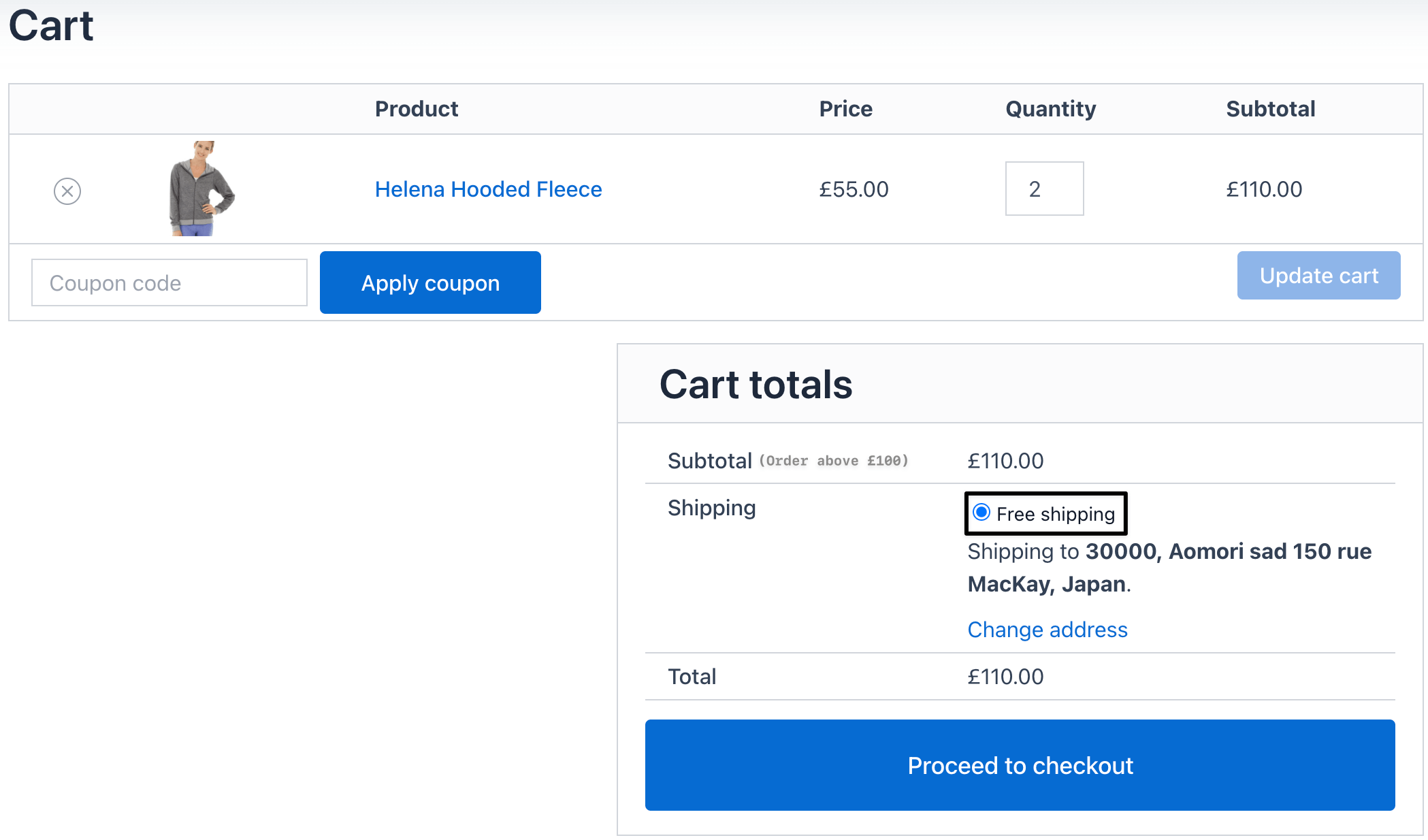
Customers automatically receive free shipping once the required product quantity is reached, encouraging larger purchases and improving sales.