
How to Set an Average Rating Condition in WooCommerce
Minimum and Maximum Quantity for WooCommerce lets you limit how many units a customer can buy. The Average Rating condition applies a group’s min and max quantity only when the selected products already in the cart meet a rating you set.
You choose the products in the same rule group, then enter the rating those products must reach. A store can require a minimum of 2 only for products whose average rating is 4 or higher.
In The Article
Benefits
Configuring Average Rating can help:
- Apply a quantity limit only to products that meet a rating you choose.
- Use the rating WooCommerce already stores on each product.
- Keep lower-rated products on a different rule.
How to Set an Average Rating Condition
Step 1: Open a min/max rule
Go to Dotstore Plugins → Min/Max Quantity.
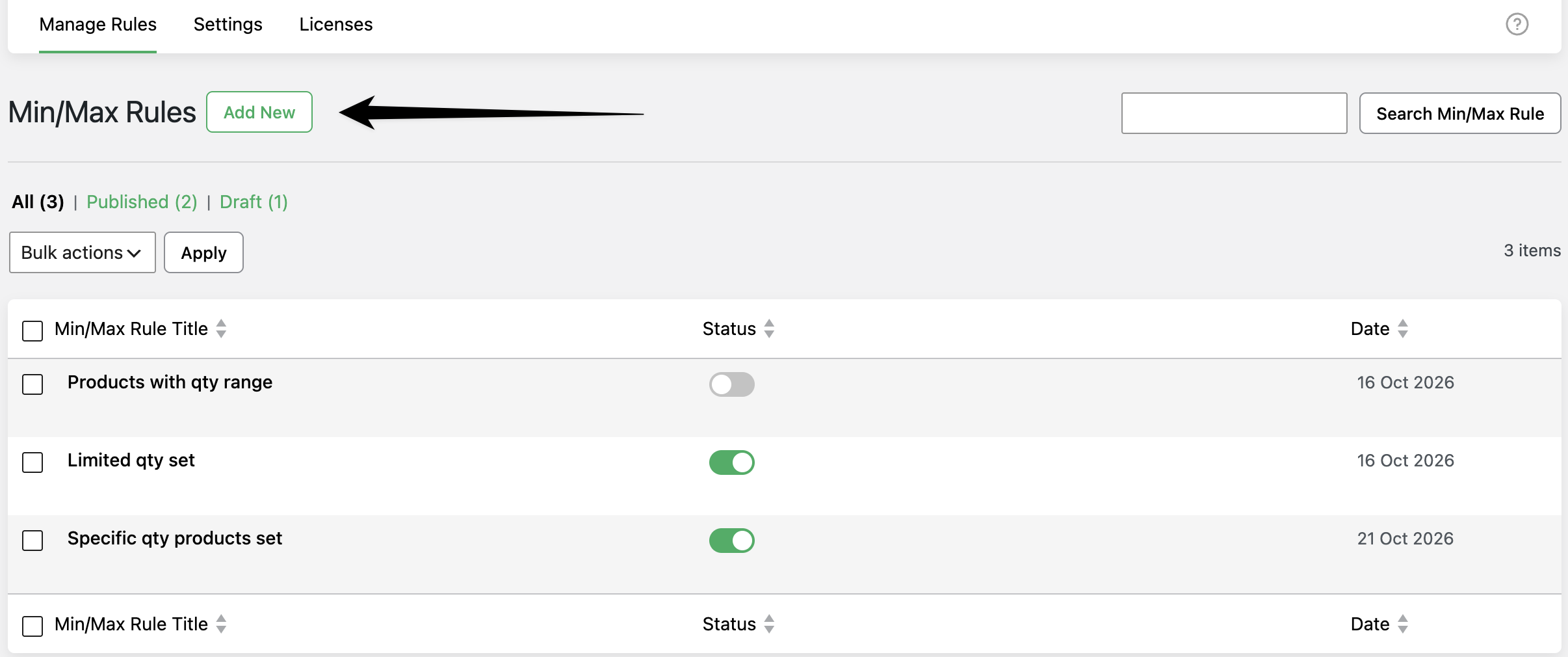
On Manage Rules, click Add New, or open an existing rule.
Step 2: Add a product condition
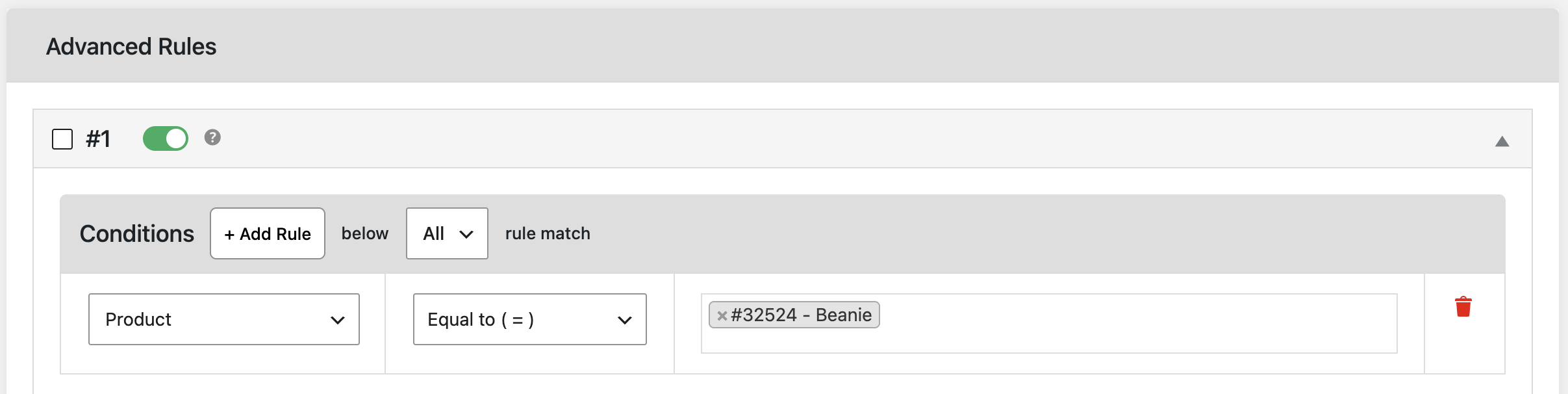
In the rule group, under Conditions, set the first condition to Product or Variable Product.
Choose Equal to ( = ) and select the products whose ratings should be checked. Choose Not Equal to ( != ) when the rating check should cover cart products other than the ones you select.
Average Rating cannot be saved on its own. The same group must include at least one Product or Variable Product condition. If it does not, saving shows: “To use the average rating condition, it must require at least one product-based condition.”
Step 3: Add the Average Rating condition
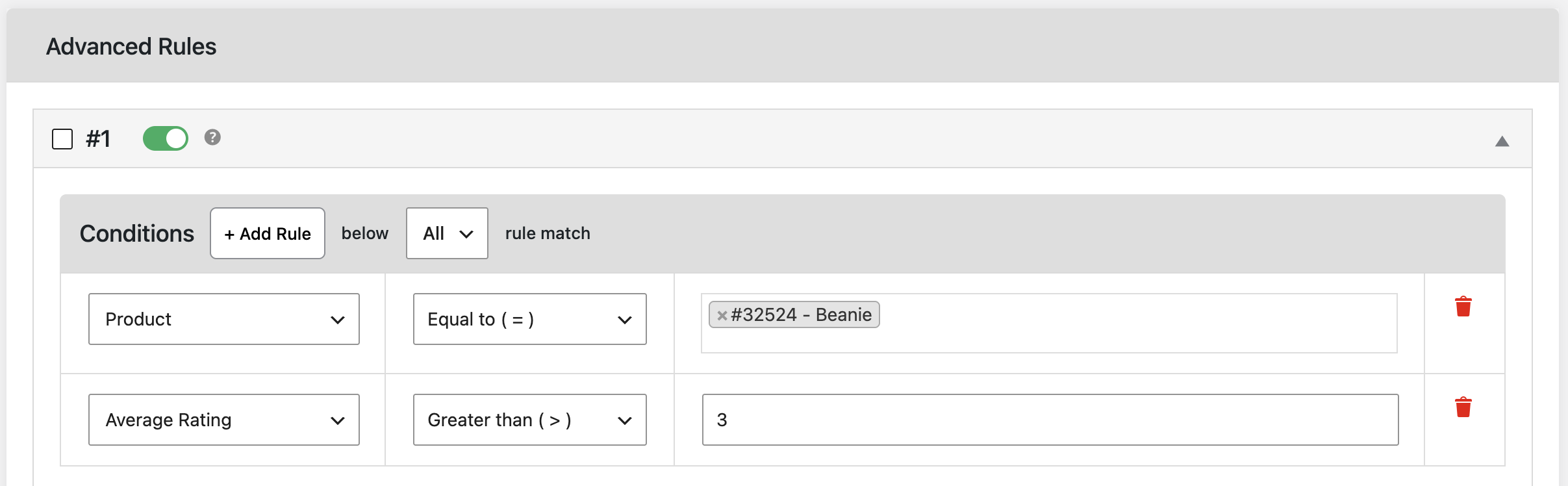
Click + Add Rule.
Set the new condition to Average Rating, under Group Based Conditions.
Choose how the rating should compare with your number:
| Option | What it does |
|---|---|
|
Equal to ( = )
|
The rating must match the number.
|
|
Not Equal to ( != )
|
The rating must not match the number.
|
|
Less than ( < )
|
The rating must be below the number.
|
|
Less or Equal to ( <= )
|
The rating must be the number or below.
|
|
Greater than ( > )
|
The rating must be above the number.
|
|
Greater or Equal to ( >= )
|
The rating must be the number or above.
|
In Type average rating, enter a number from 0 upward. Decimals are allowed, such as 4.5. The plugin uses each product’s WooCommerce average rating. A product with no reviews counts as 0.
If more than one selected product is in the cart, those ratings are averaged together. Each product is counted once. Cart quantity does not change the average.
If the group has more than one condition, set below to Any or All rule match.
- Any applies the group when one condition matches.
- All applies the group only when every condition matches.
Step 4: Set the group quantity limits
In the same group’s Actions, enter Min Quantity and Max Quantity.
These are the limits applied when Average Rating matches. They are separate from the number in Type average rating.

Step 5: Save and test the cart
Click Save changes.
Add the selected products to the cart. The group’s min and max quantity apply only when the rating matches the comparison you set, and only for a product included by the Product or Variable Product condition in that group.
Example Use Cases
A higher minimum for well-rated products. If products rated 4 or above should be bought in pairs, select those products, set Average Rating to Greater or Equal to ( >= ) 4, and set Min Quantity to 2.
A cap on products with few reviews. If a product with a rating below 3 should be limited to 1, set Average Rating to Less than ( < ) 3 and Max Quantity to 1. A product with no reviews counts as 0, so this cap includes it.
Conclusion
Average Rating checks the WooCommerce average rating of the products selected in the same rule group. When that rating matches your comparison, the group’s min and max quantity apply to those products.
FAQs
1. Where do I find Average Rating?
Open Dotstore Plugins → Min/Max Quantity, edit a rule, and look under Conditions → Group Based Conditions. It is a Premium condition.
2. Why will the rule not save?
The same group needs a Product or Variable Product condition. Average Rating uses that condition to decide which products to check.
3. Which rating does it use?
It uses the average rating stored on the WooCommerce product. A product with no reviews is treated as 0. A variation uses its parent product’s rating.
4. Does buying more units change the rating?
No. Each selected product in the cart is included once. Two products rated 5 and 3 average to 4, whether the cart holds 1 unit or 10.