
How to set shipping charges based on cart line items in WooCommerce
Cart line item–based shipping allows you to apply shipping charges based on the number of unique products in the cart, not their quantities.
For example:
- Charge shipping when the cart contains 2 or more different products
- Apply a fixed fee for mixed-product carts
- Ignore product quantity while calculating shipping
In The Article
Why use cart line item–based shipping?
- Simple pricing: Apply shipping based on how many different products are ordered
- Quantity-independent: Product quantity does not affect shipping charges
- Fair cost control: Ideal for stores with varied product sizes or packaging
- Cleaner rules: Avoid complex quantity or weight-based configurations
Configuration steps
1. Add or edit a flat rate shipping method
- Go to Dotstore Plugins → Flat Rate Shipping
- Click Add New Shipping Method or edit an existing one
2. Add a cart line item rule
- In the shipping method settings, go to the Shipping Method Rules section
- Click Add New Rule
- From the Condition dropdown, select Cart Line Items
- Choose an operator (Greater than, Greater than or equal to, Equal to, etc.)
- Enter the number of cart line items
-
Set the shipping fee you want to apply
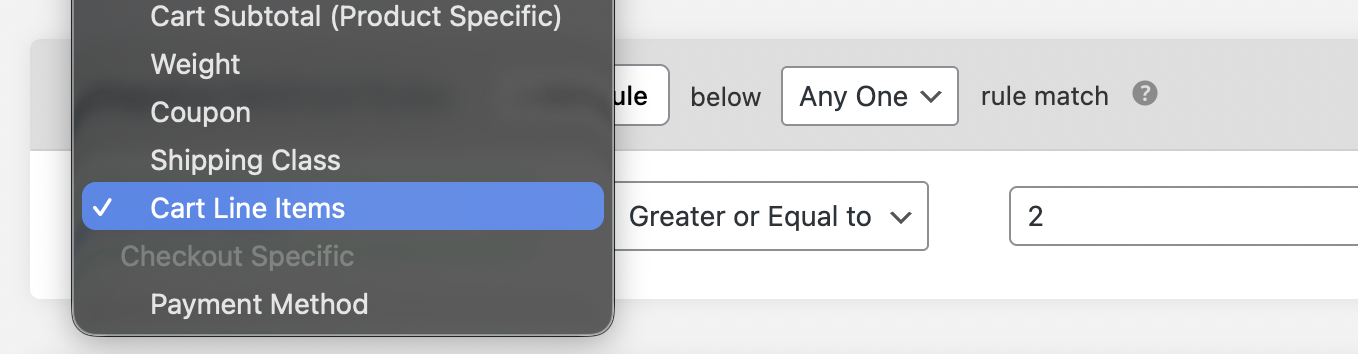
Set cart line items condition
3. Save and Test
- Click Save Changes
- Add multiple different products to the cart
-
The cart line item–based shipping method should appear at checkout
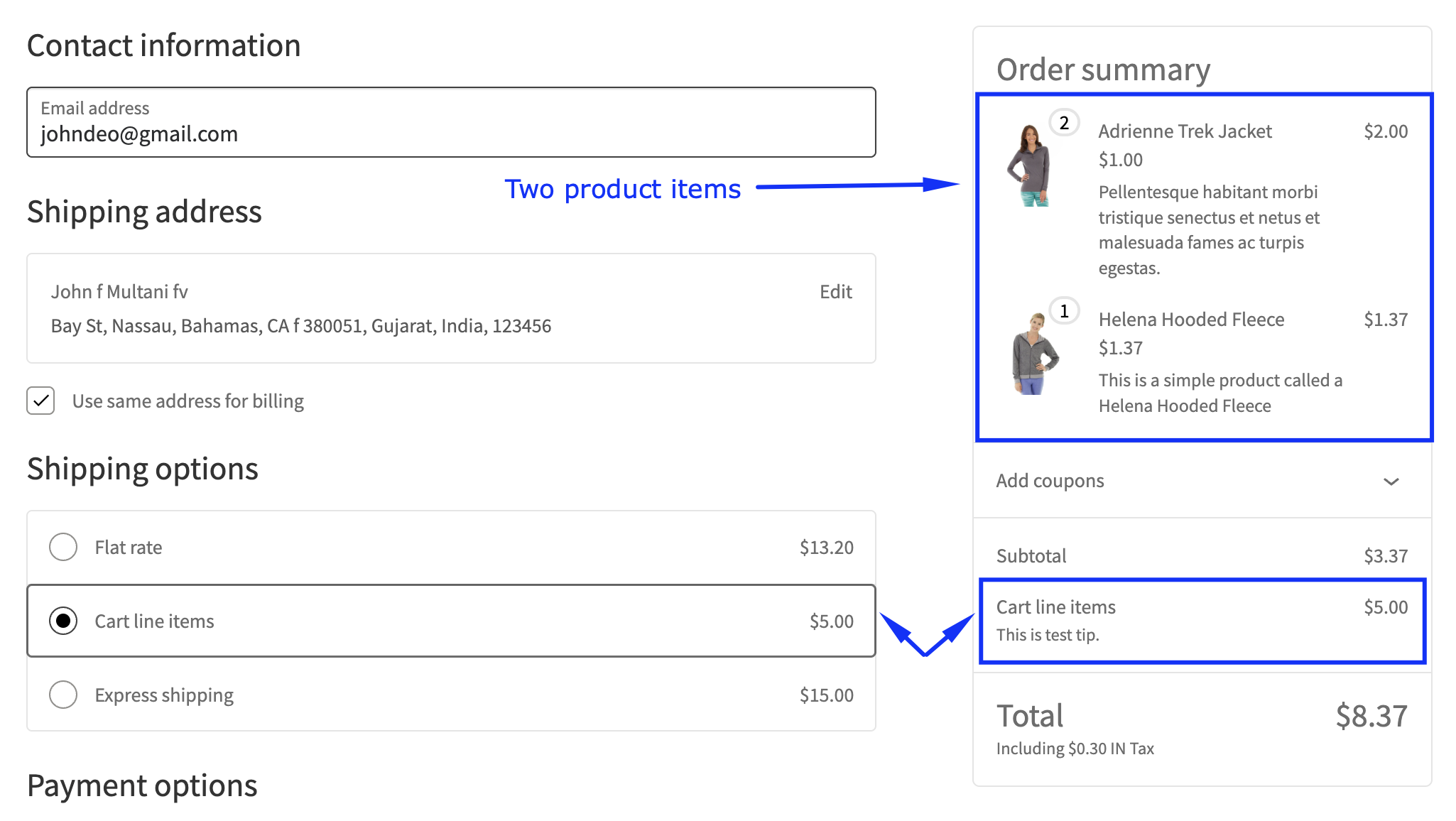
Cart line items based shipping method on cart page
Ready to See All Features in Actions?
Access our complete advanced features instance, allowing you to configure every feature with real checkout scenarios.
Two real examples
Example 1: Two products in the cart
Rule setup:
- Condition: Cart Line Items
- Operator: Greater than or equal to (>=)
- Value: 2
- Shipping fee: $5
Checkout result:
- Product A (Qty 2) + Product B (Qty 1) → Shipping = $5
- The cart contains two unique products, so the rule applies
Example 2: Single product in the cart
Rule setup:
- Condition: Cart Line Items
- Operator: Greater than or equal to (>=)
- Value: 2
Checkout result:
- Product A (Qty 3) → Shipping = Standard rate
- Only one cart line item, so the rule does not apply
Expected Outcome
Once configured, WooCommerce will apply the shipping fee only when the cart contains the specified number of unique products. Product quantity is ignored, ensuring consistent and predictable shipping charges for mixed-product carts.