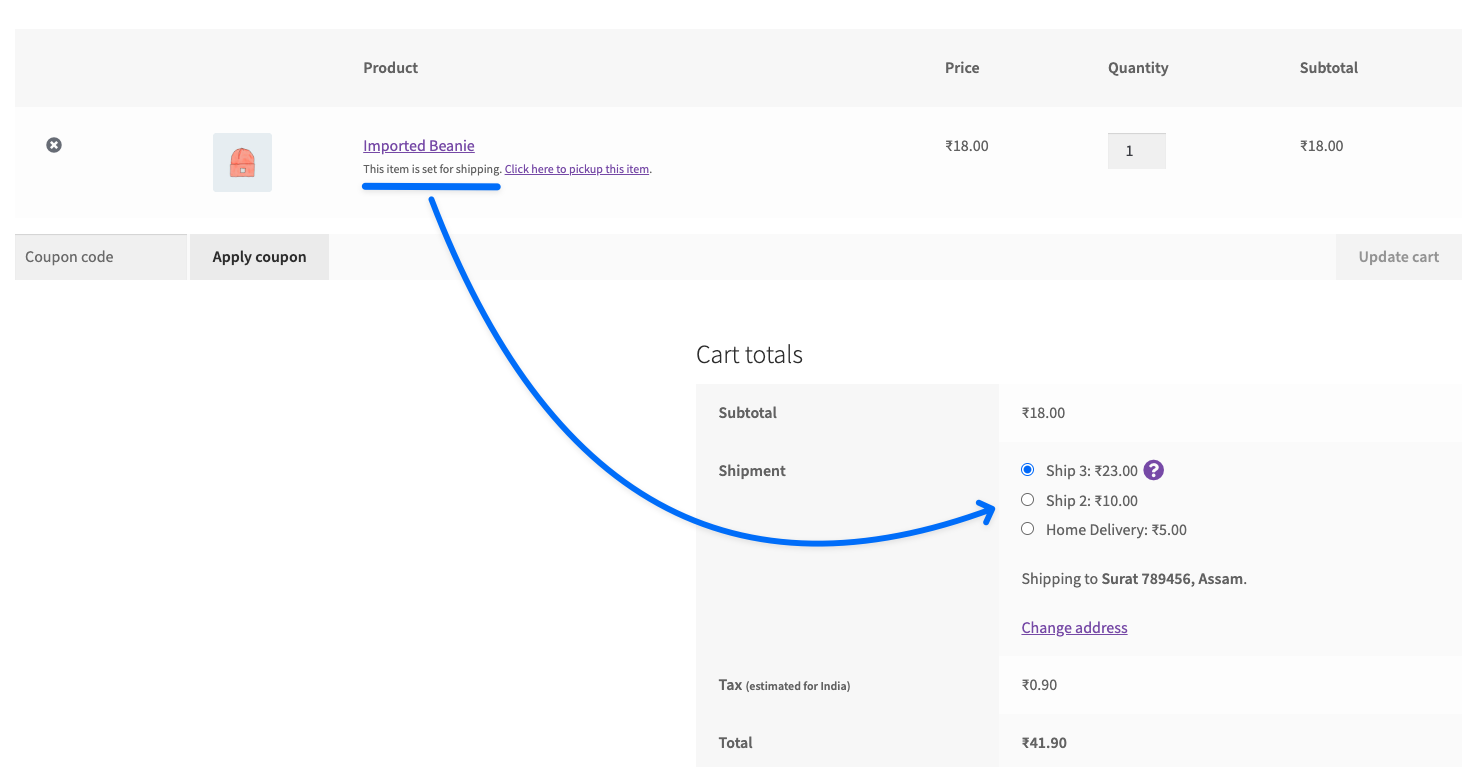
Shipping Zone Assignment for Local Pickup (Base Zone Support)
The Shipping Zone Assignment for Local Pickup feature is designed to solve a specific WooCommerce limitation:
When no shipping methods are assigned to any shipping zone, WooCommerce does not return any shipping rates.
As a result, even other shipping methods (such as the Flat Rate Shipping Method for WooCommerce by Dotstore) may not appear on the Cart or Checkout.
To resolve this, this module allows you to assign a base shipping zone to the Local Pickup method, ensuring WooCommerce always has a valid zone context.
In the Article
Problem Scenario
You are using:
- Local Pickup by WooCommerce by Dotstore
- Flat Rate Shipping Method for WooCommerce by Dotstore
But:
- No shipping methods are configured in WooCommerce shipping zones
- Flat Rate Shipping has no base zone to attach to
- No shipping methods appear on Cart/Checkout
Solution Provided by This Module
This feature assigns a fallback/base shipping zone via Local Pickup.
- Ensures WooCommerce recognises a valid shipping zone
- Enables third-party shipping methods (like Flat Rate) to load
- Allows seamless switching between:
- Pickup option
- Shipping option
Configuration Steps
Go to:
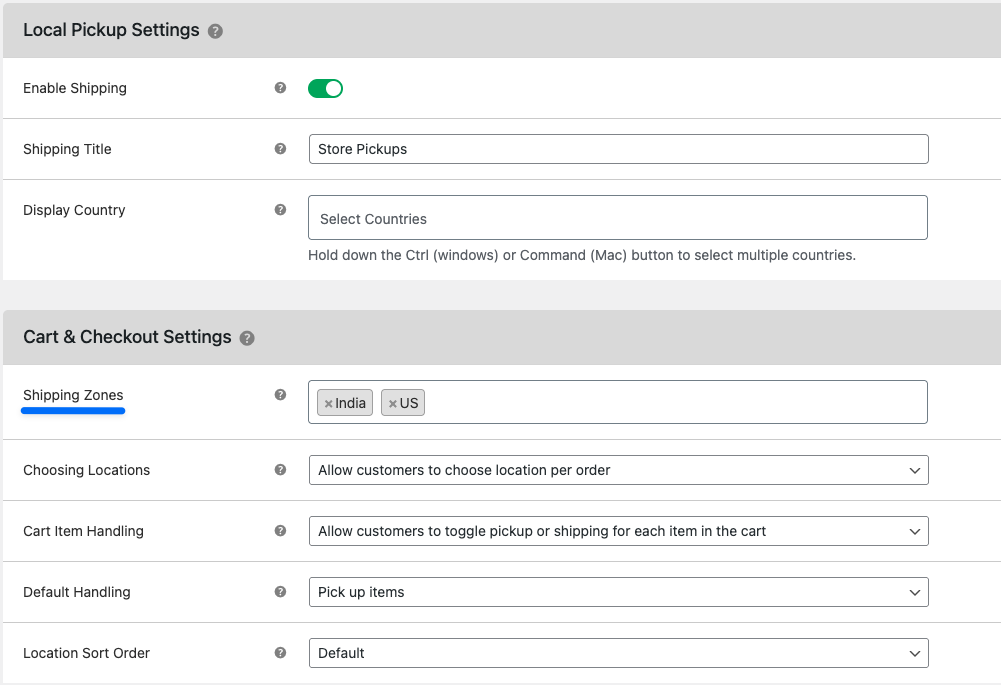
- Dotstore Plugins → Local Pickup → Local Pickup Settings Section.
- Enable Shipping
- Set Shipping Title - Define how the method appears on checkout
- Select Shipping Zones from the list (which fetches from the current WC shipping zones list)
How It Works
Without This Feature
- No shipping zone configured
- WooCommerce cannot resolve the shipping context
- Flat Rate Shipping plugin does not load
- No shipping methods shown
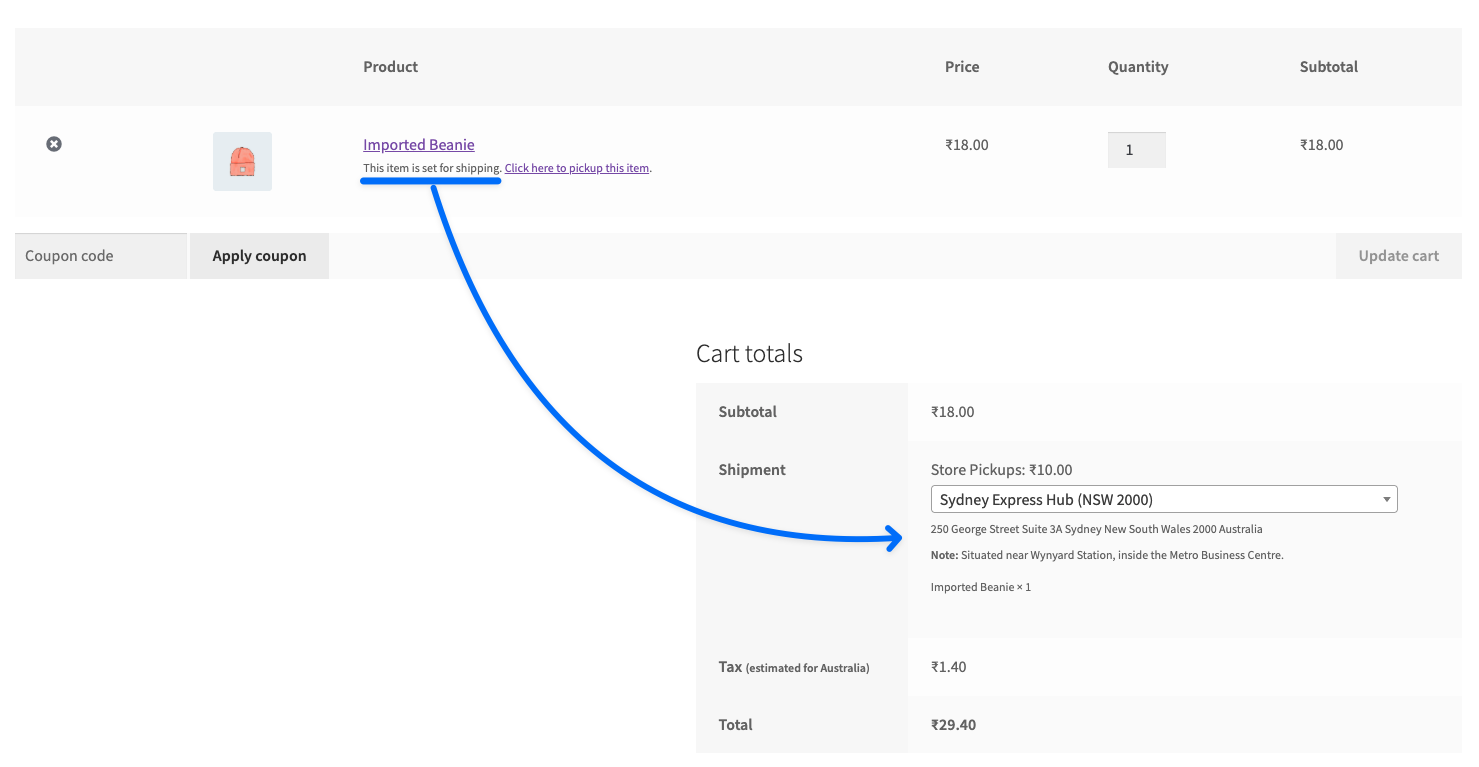
With This Feature
- Local Pickup is assigned to a shipping zone
- WooCommerce detects a valid shipping zone
- Flat Rate Shipping plugin gets a base context
- Shipping methods are evaluated properly