
Country-wise Local Pickup Method Setup
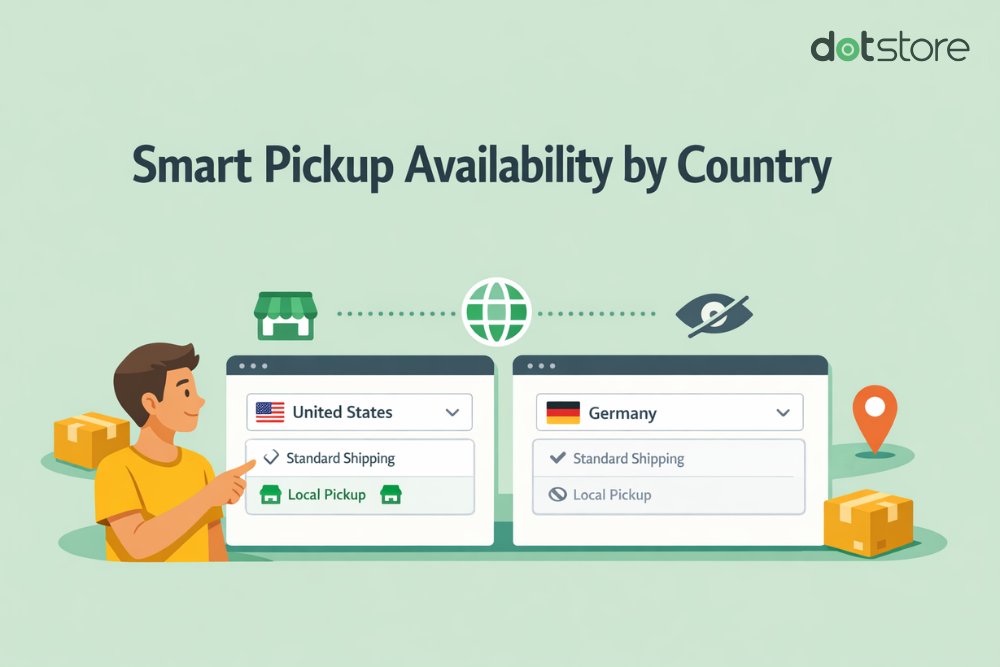
The Country-wise Local Pickup Availability module allows store owners to control whether the Local Pickup method should be available based on the customer’s selected country.
The entire Local Pickup option will be hidden from Cart and Checkout if the customer’s country does not match the configured countries.
In the Article
Why This Feature Matters
- Restrict pickup to specific countries only
- Prevent invalid pickup selections for unsupported regions
- Keep checkout clean and relevant
- Apply region-based business logic easily
Configuration Steps
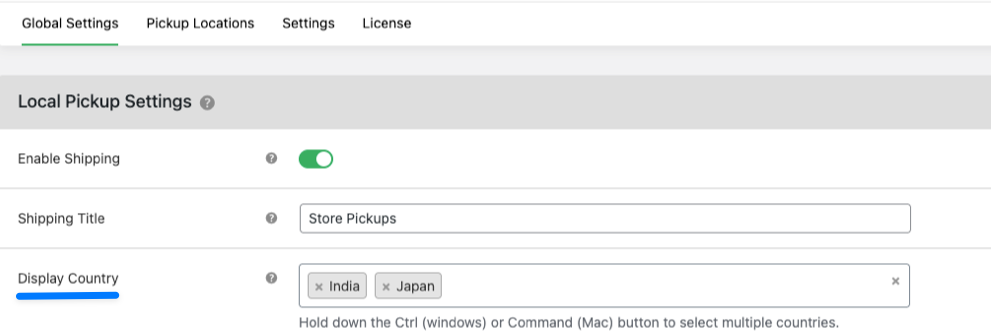
Go to:
- Dotstore Plugins → Local Pickup → Local Pickup Settings Section.
- Enable Shipping
- Set Shipping Title - Define how the method appears on checkout
- Configure Display Countries
-
In Display Country, select the countries where Local Pickup should be available
Multi-select supported:
Ctrl(Windows)Cmd(Mac)
-
- Save Settings - Click Save Changes
How It Works
This module applies a country-based visibility rule to the Local Pickup shipping method.
- Customer visits the Cart or Checkout
- Customer selects (or WooCommerce detects) shipping country
- System compares customer country with configured countries
Condition: Match Found
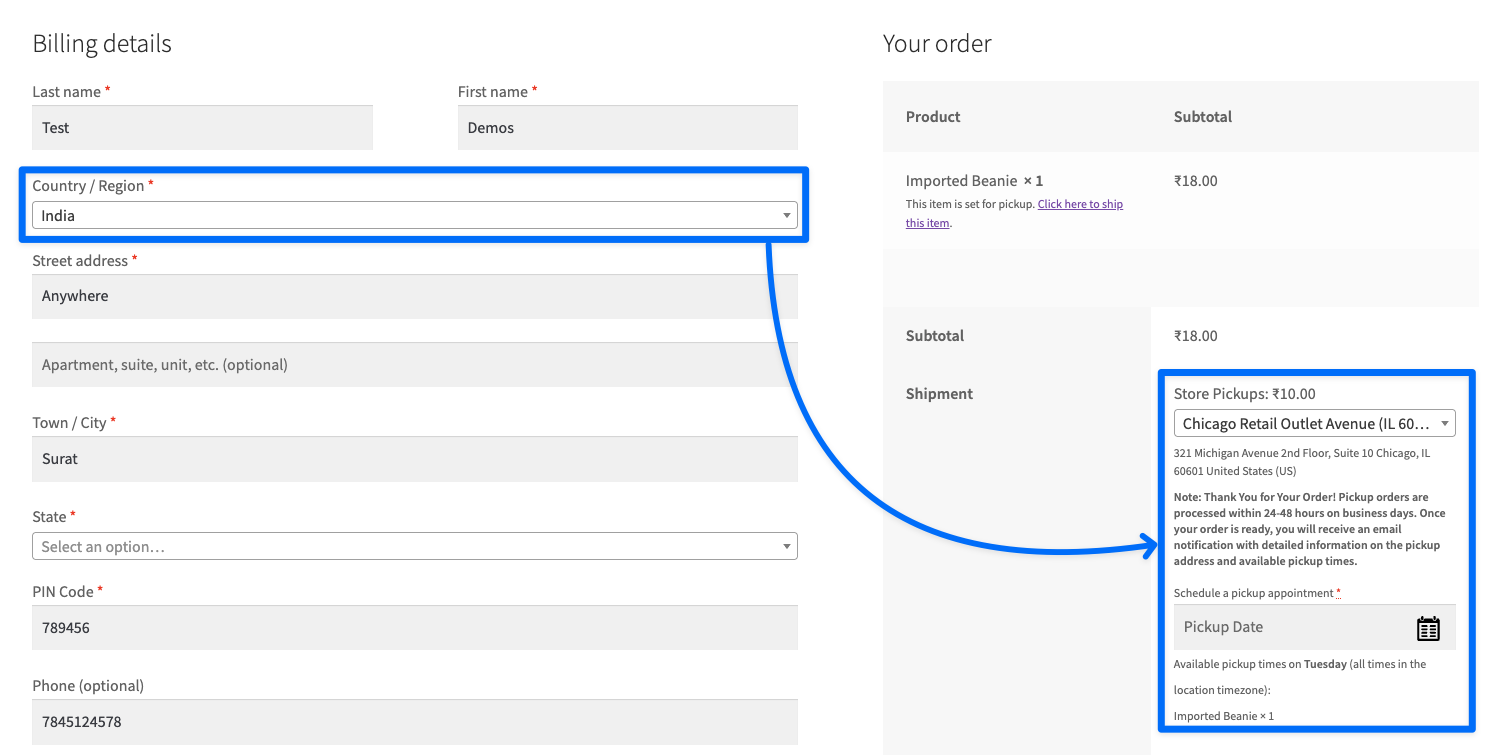
If the country match with configure country, then it will show the local pickup method.
Condition: No Match
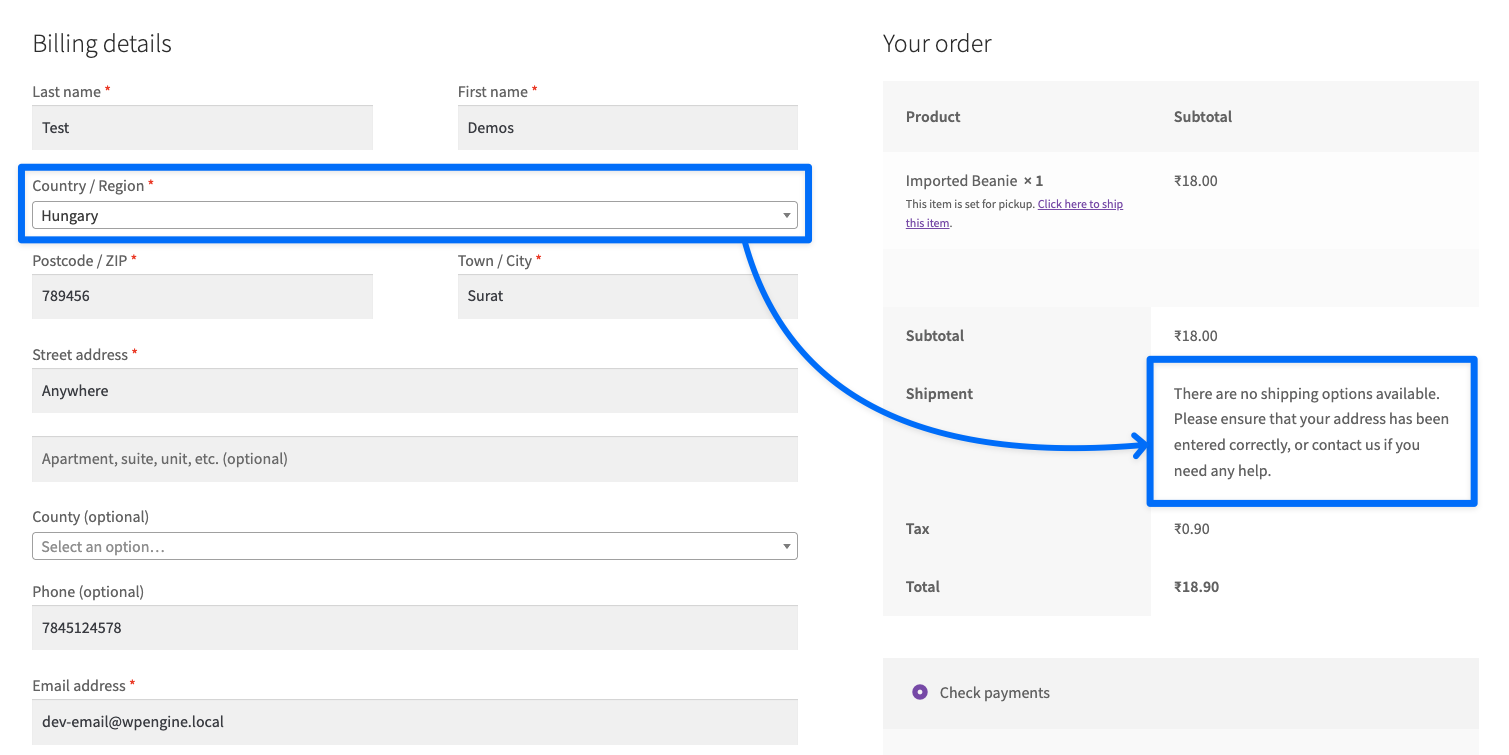
If the country does not match with configure country, then it will be removed from the checkout page.