
How to translate Hide Shipping strings using LOCO Translate
This guide will help you translate strings from the Hide Shipping For WooCommerce Plugin using the Loco Translate plugin.
In the article
What is Loco Translate?
Loco Translate is a free, widely used WordPress plugin that lets you translate theme and plugin strings directly from the WordPress dashboard.
Why use Loco Translate?
- Built-in translation editor
- No technical knowledge required
- Supports direct translation of plugin files
Steps to translate hide shipping strings
Step 1: Install and Activate Loco Translate
- Go to your WordPress Dashboard → Plugins → Add New
- Search for Loco Translate
-
Click Install Now and then Activate


Step 2: Set Up Language (if not already added)
- Go to Loco Translate → Plugins
- Search for Hide Shipping
- Click on it and then click New Language
- Select your target language
- Choose System as the file location
-
Click Start Translating
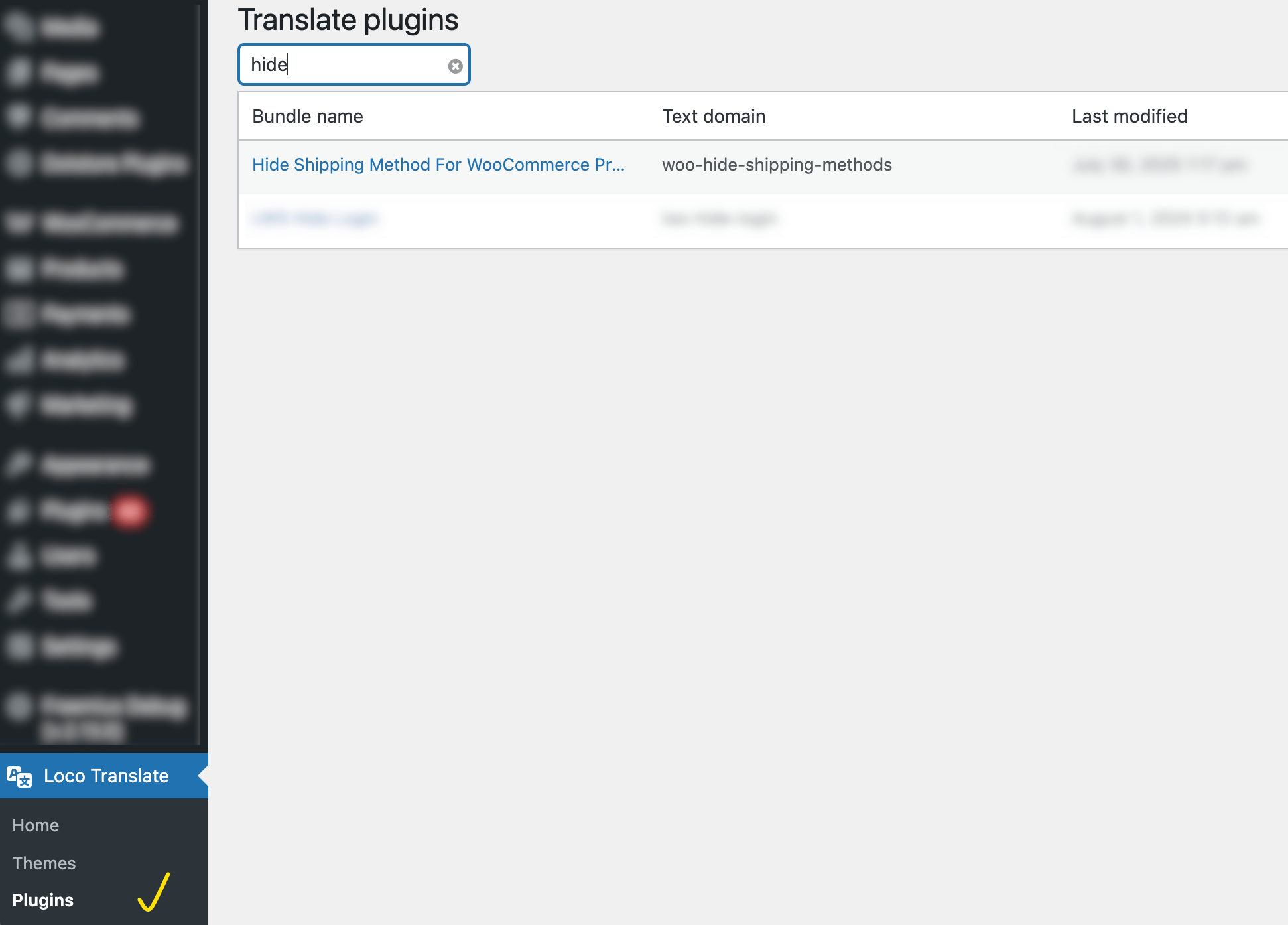
Translate hide shipping

Step 3: Translating Strings
Example 1: "Force hide shipping methods" (from the General Settings section)
- Go to Loco Translate → Plugins → Hide Shipping
- Select language
- Click Edit
- Search for the string Basic Hide Shipping Rules
- Enter your translated text
-
Click Save
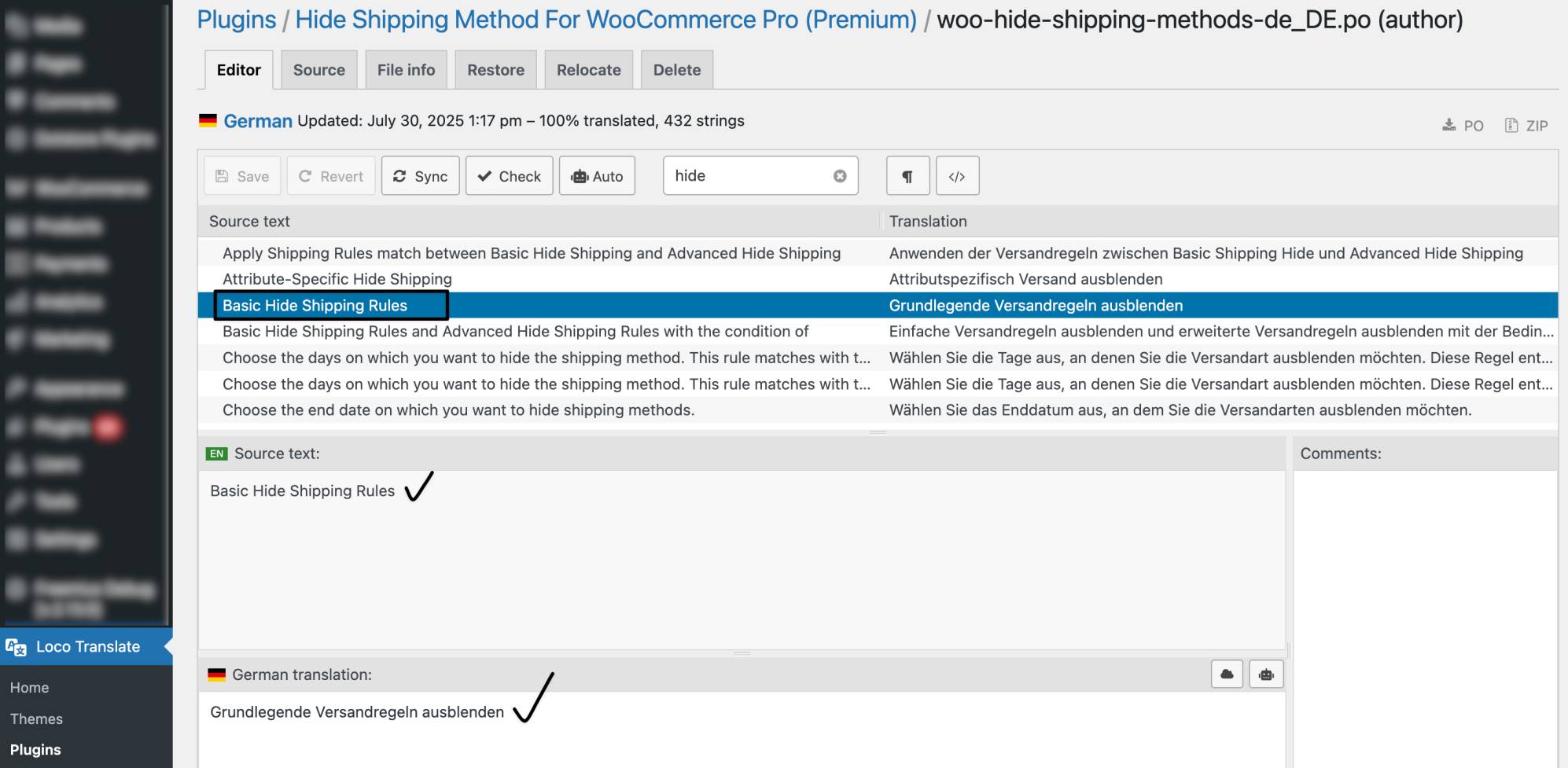
Stranslate string
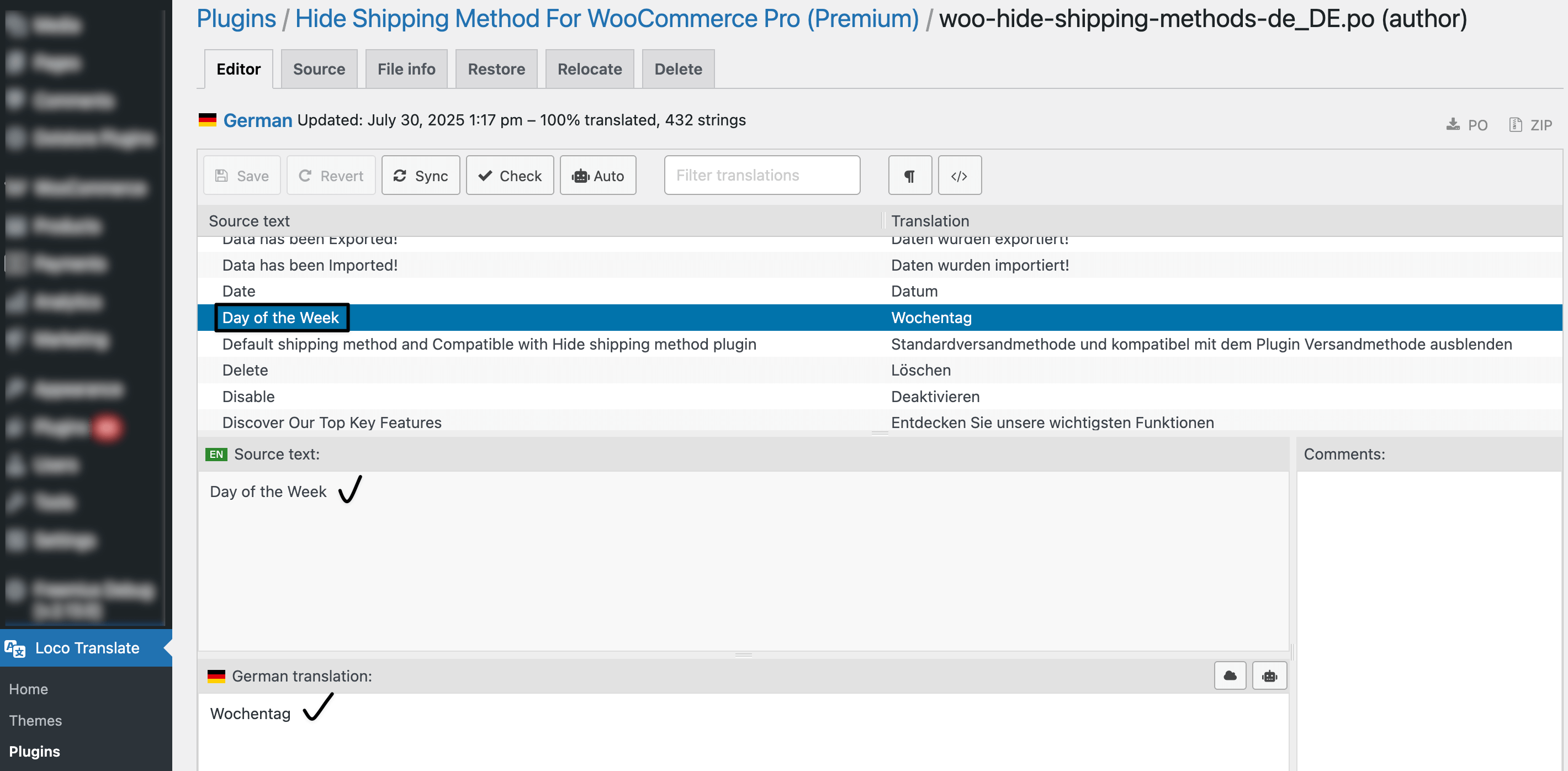
Example 2: "Day of the Week"
- Repeat the above steps
-
Search and Translate: Day of the Week
Notes
- Always select the System location while saving.
- Translations will show based on the active site language.