Compatibility - WPML
WPML is a popular plugin for translating the text within your website into various languages for your international customers. One of the benefits of the Product Size Chart For WooCommerce is that you can define regions worldwide and offer a varying size chart for each.
But that means customers speak different languages, so you will want to ensure that your size chart translates accordingly.
Before we get started, if you do not have a copy of WPML, you can purchase one here.
Getting started
Start by installing and activating the following:
- Product Size Chart For WooCommerce (2.3.1+)
- WPML Multilingual CMS
- String Translation
- WPML Multilingual & Multicurrency for WooCommerce
If you’re new to WPML, check out their Getting Started Guide. It quickly walks you through all the translation options you can use.
Note: All the current size charts are automatically moved to your default language.
Note: Our translatable field will be automatically translated if you have automatic translation turned on.
Translating the Size Chart
-
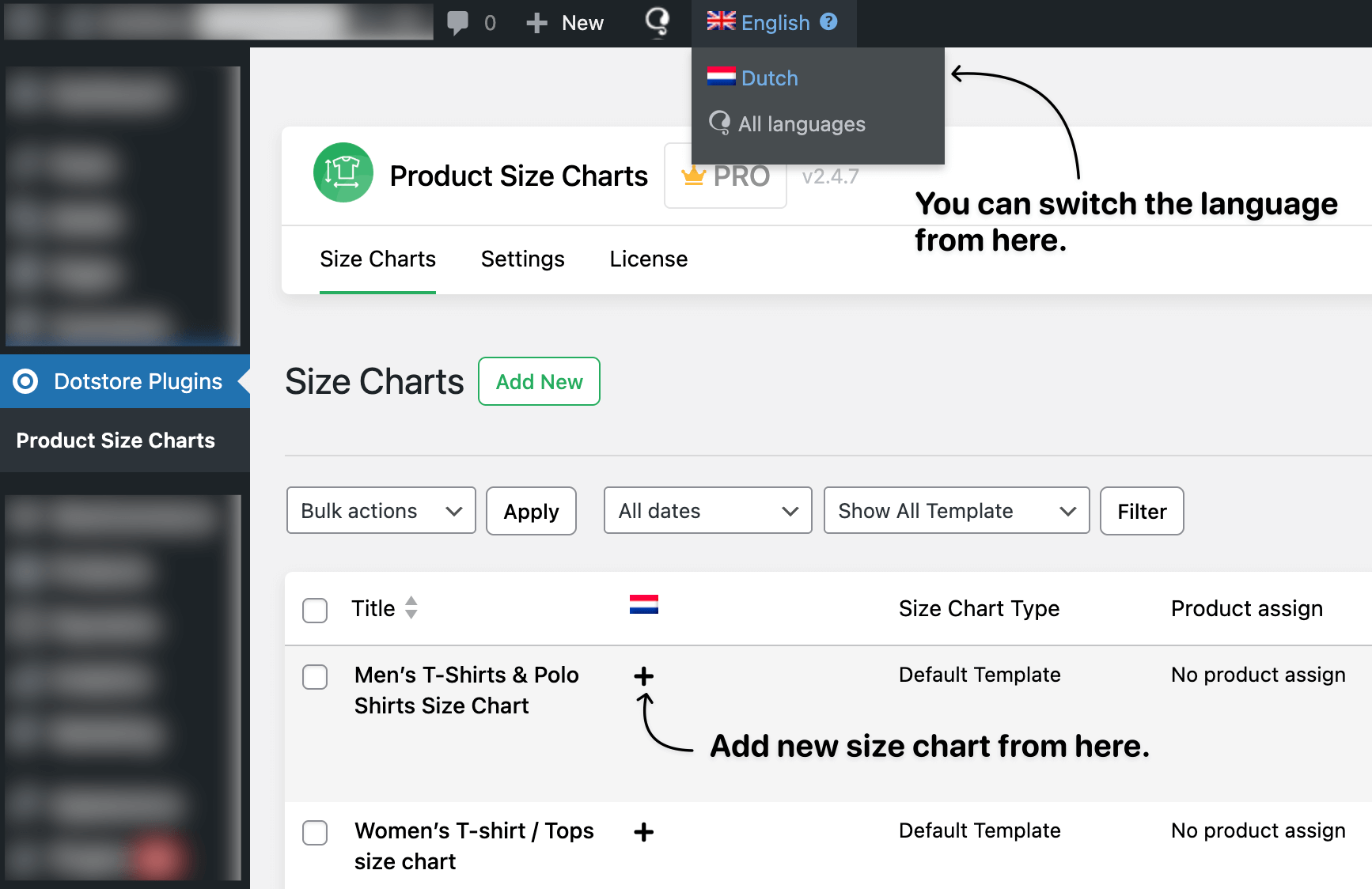
You can see the list of specific language fees by selecting a language from the admin bar menu.
Switch or add new size chart
-
Then, if you want to translate the size chart from our listing page, you can do this by clicking the plus icon corresponding to the chart that you want to translate from the listing, as shown above.
-
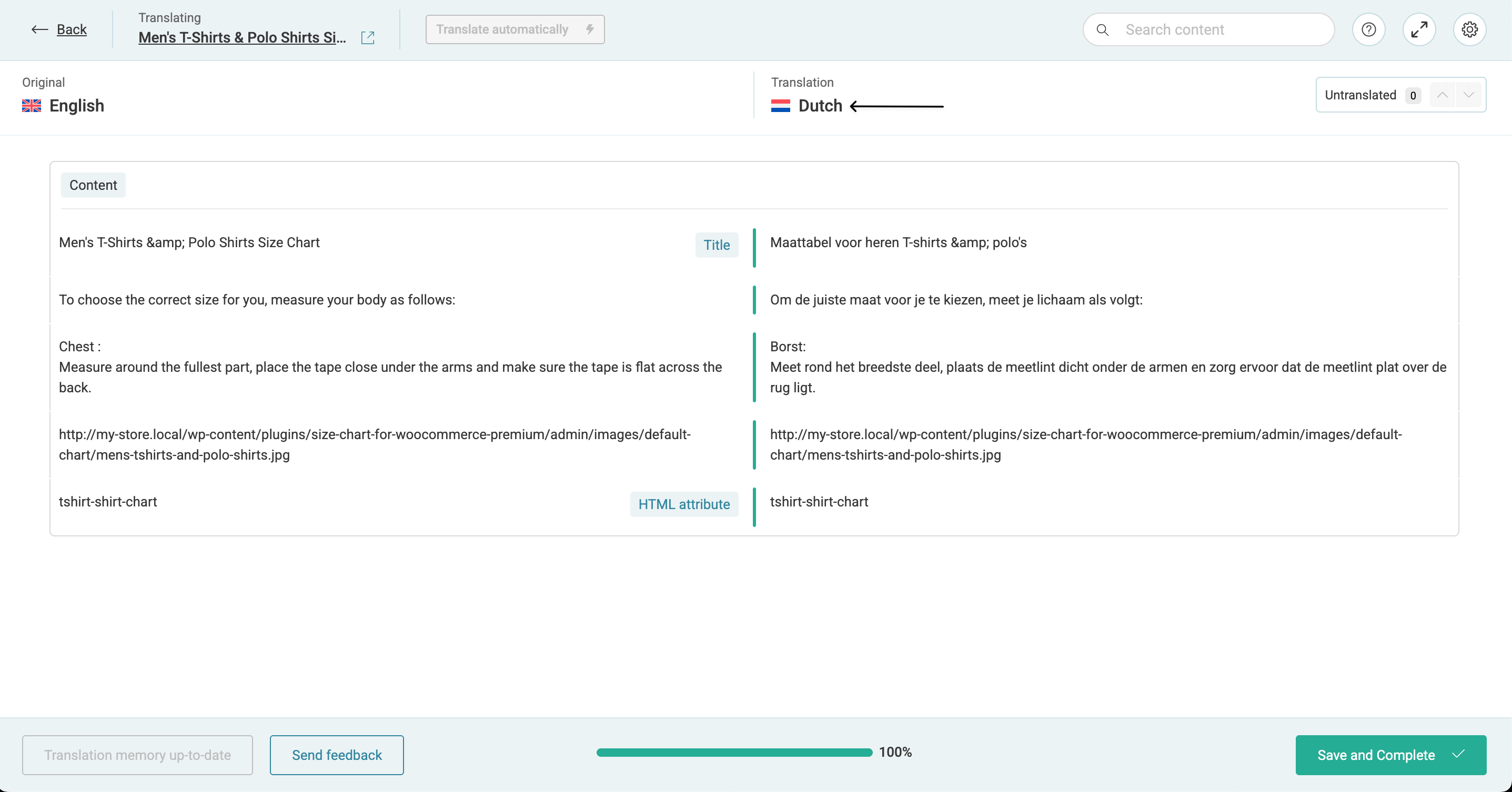
Add your translations to the Advanced Translation Editor.
Translate size chart to another language
-
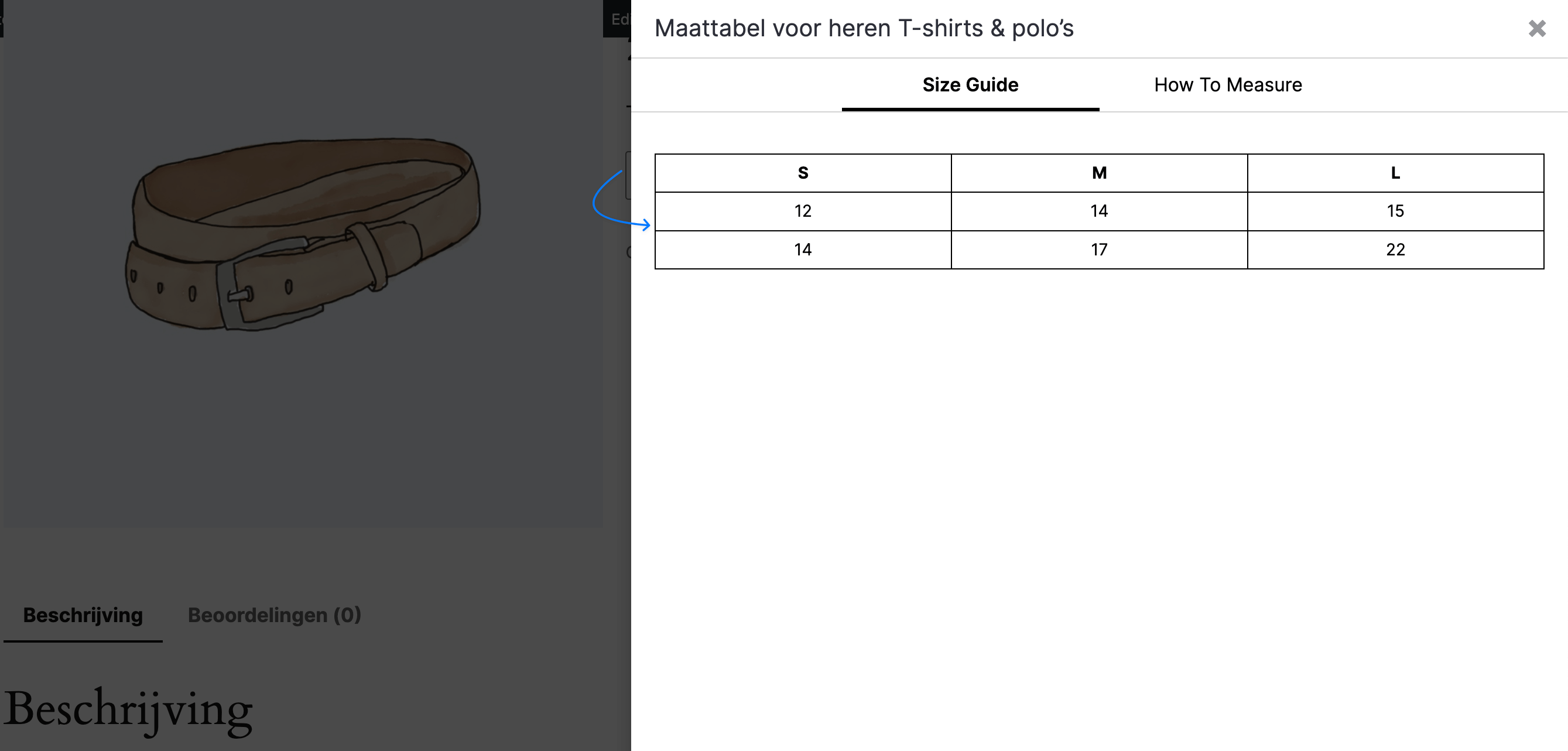
Once we update the translation of size chart, it will show up on the frontend like below: